How to Live Stream a Conference: A Practical Guide for 2026
Sydney has more conferences on its calendar than almost any other city in Australia, and most organisers now assume a stream is part of the package. If you have never run one before, working out how to live stream a conference can feel like a lot more than plugging in a camera and hitting go live. The good news is that once you understand the moving parts, the process becomes repeatable event after event.
This guide walks through the whole job, from picking a platform to switching cameras on the day, with real numbers and local detail you can actually use. Whether your event is at ICC Sydney in Darling Harbour, a function room on George Street, or a smaller venue out at Parramatta, the same fundamentals apply.
By the end of this guide you will know how to live stream a conference from start to finish, including what it actually costs, what can go wrong, and how to keep a remote audience watching instead of drifting off.
Start With the Event, Not the Technology
Before anyone touches a camera, sit down and answer three questions: who is watching, why are they watching, and what do they need to see clearly.
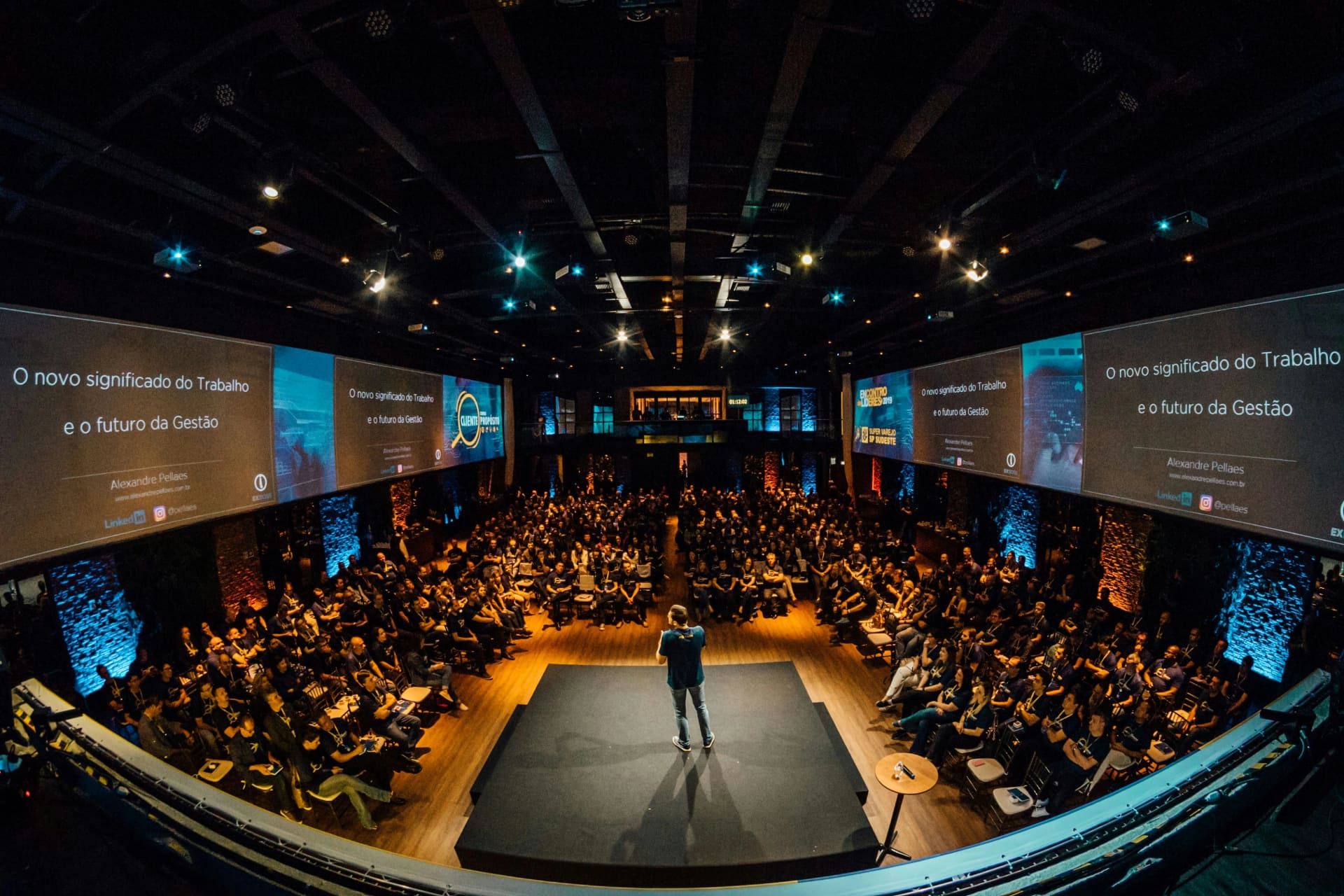
A 40 person industry breakfast at a hotel near Circular Quay has completely different requirements to a 500 person industry summit at the Hyatt Regency Sydney. The first might only need a laptop, a decent webcam and a stable connection. The second needs multiple cameras, a vision switcher, dedicated audio, and someone whose only job on the day is watching the stream health.
Work out early whether attendees will only watch, or whether they need to ask questions and interact. This decision shapes almost everything that follows, including which platform you choose and how much crew you need on site.
Choosing a Platform to Live Stream a Conference
This is where most people get stuck, and it is also where a lot of the older advice floating around the internet has gone stale. Google Hangouts on Air does not exist anymore. Periscope shut down years ago. If you search for how to live stream a conference, half the guides still mention apps that closed down years ago. What matters now is picking from three realistic categories.
Free and social platforms
YouTube Live and LinkedIn Live are the most common choice for public facing events. They cost nothing to use, they come with a built in audience, and viewers do not need to download anything. The trade off is limited branding control and no real privacy options, so these suit public conferences rather than anything commercial in confidence.
Video conferencing platforms
Zoom Webinar and Microsoft Teams Live Events work well for a live streaming setup for business meetings or smaller internal conferences where the audience is known and access needs to be restricted. Registration, waiting rooms and password protection are built in. The picture quality is fine for a single speaker but starts to strain once you add multiple camera angles or slide integration.
Dedicated streaming and webcasting platforms
Vimeo, Dacast and similar services are built for organisations that want proper analytics, geo blocking, and a fully branded viewer page. These cost more and take longer to set up, but they are the right call for a large conference streaming project where the client wants to track exactly who watched, for how long, and from where. This is usually the option we recommend when a client wants their event streamed professionally, including paying delegates or sponsors who expect a report on viewer numbers afterwards.
Managing this end to end, from platform selection through to the day itself, is exactly what our corporate live streaming Sydney service is built for, and it is worth bringing in specialists early rather than trying to configure an enterprise platform the week of the event.
Before you commit, check three things for each option:
- Can it handle your expected audience size without buffering
- Does it support the interaction features you actually need, such as live Q&A or polling
- Does it integrate with the venue's AV desk without extra hardware
Most conferences in Sydney end up using a hybrid approach: a professional camera feed pushed into whichever platform the client already has an account with, rather than forcing a brand new platform onto an audience that already knows how to use Zoom or YouTube.
The Equipment You Actually Need
This part rarely gets covered properly, and it is the difference between a stream that looks like a corporate broadcast and one that looks like a shaky phone recording from the third row. Anyone new to conference live streaming tends to focus on the platform and forget that the gear pointed at the stage matters just as much.
For a single speaker event, you can get away with:
- One camera on a tripod, ideally with a clean HDMI output rather than relying on the built in webcam
- A capture card or encoder box such as an ATEM Mini or similar, feeding into OBS or vMix
- A dedicated microphone, either a lapel mic on the speaker or a feed straight from the venue's PA system
For a panel or multi speaker conference, add:
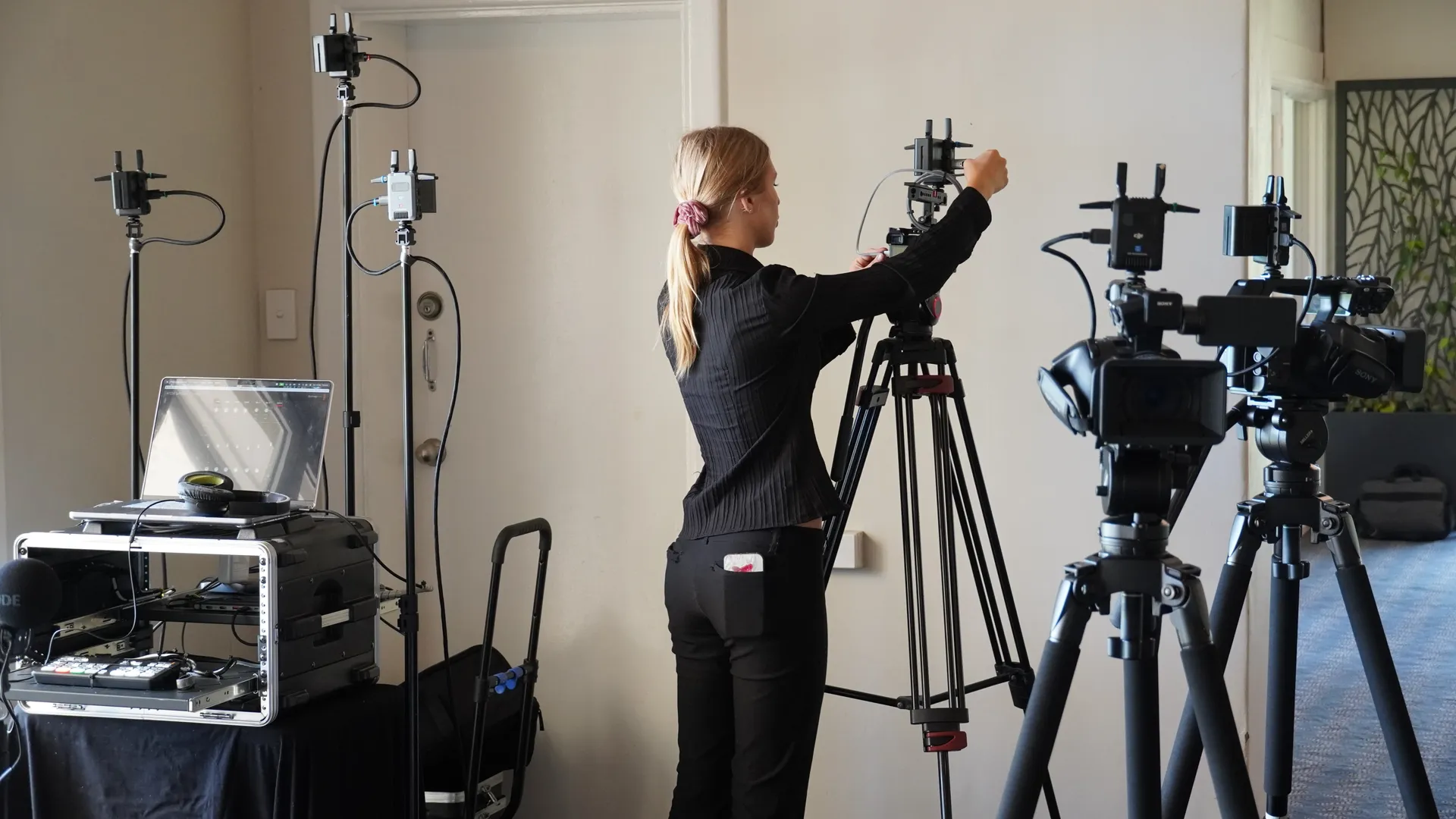
- A second and often third camera, one wide shot of the stage and one or two closer angles on individual speakers
- A vision switcher so an operator can cut between cameras live, rather than leaving it on one static wide shot for an hour
- A separate audio mixer if there is more than one microphone, so levels can be balanced on the fly
Slide capture matters more than people expect. If half your audience cannot read the presenter's slides because the stream only shows a wide shot of the stage, you have lost a big part of the value of live streaming a conference in the first place, and it is one of the most common gaps we see when we are asked to fix a client's previous attempt at streaming a conference in house. Where the venue's AV desk allows it, take a direct feed from the laptop or projector and composite it next to the camera shot.
Internet and Bandwidth, With Real Numbers
This is the section that gets skipped most often, and it is usually the reason a stream falls over halfway through the keynote. Every client conversation about how to live stream a conference eventually comes back to this point, because a great camera setup means nothing if the connection cannot carry it.
For a single HD camera stream, you want a stable upload speed of at least 10 to 15 Mbps, with some buffer built in because real world connections fluctuate. A 35 to 40 percent buffer above your minimum requirement is a sensible rule of thumb, so if your encoder needs 8 Mbps, aim for a connection that comfortably delivers 11 or 12 Mbps sustained, not just on a speed test. For multi camera productions with higher bitrates, or if you are streaming in 4K, budget closer to 20 to 25 Mbps of dedicated upload.
Never rely on the venue's general guest Wi-Fi. Hotels and function centres around the CBD, from Darling Harbour through to North Sydney, often have hundreds of devices competing for the same network during a conference. Ask for a dedicated wired connection at the AV desk, and where possible, arrange a backup 5G or 4G bonded connection as a second path. If the venue's fixed line drops out mid keynote, the backup keeps the stream alive while someone sorts out the primary connection.
Test the actual connection at the venue before the event, not from your office. Signal strength and available bandwidth can be completely different once you are inside a concrete function room at the Sofitel Sydney Wentworth compared to what a provider's coverage map promises.
Venue and Logistics Checklist
Getting this right on paper saves a lot of stress on the day. A lot of the practical side of pulling off a conference stream actually happens before anyone arrives on site, in the emails back and forth with the venue's events team.
- Confirm load in time and loading dock access. Some CBD venues require a booking slot for the loading dock, particularly around George Street and Pitt Street where street access is tightly controlled
- Check power availability near each camera position, and bring extension leads and power boards regardless of what you are told
- Ask about house lighting. Function rooms are often lit for the room, not for camera, so you may need additional lighting for the stage
- Confirm camera positions do not block sightlines for the in person audience, and check with venue staff about any restrictions on tripod placement in aisles
- Sort out public liability insurance and equipment safety compliance before the event, since most venues will ask for this as a condition of access
Arriving with a plan for these details, rather than working them out on site, is what separates a smooth stream from one where the crew is still troubleshooting cables ten minutes before doors open.
Running the Live Production on the Day
On the day itself, roles matter. For anything beyond a single camera and a laptop, you want at least two people: a camera operator focused purely on framing and following the speaker, and a switcher or streaming technician managing the program output, audio levels and connection health.
A typical run of show looks like this: arrive at least three hours before doors open, run a full test stream to the actual platform being used, confirm audio levels with a live microphone check, and lock in camera positions before guests start arriving. During the event, the switcher should be watching the stream itself, not just the venue screen, because what looks fine in the room can look completely different once it is compressed and sent out to remote viewers.
Record locally on every camera as a backup, in addition to whatever is being sent live. If the internet connection drops for thirty seconds during a keynote, having the full session recorded means you can still produce a clean on demand version afterwards, even if the live feed briefly went down.
Keeping Remote Viewers Engaged
A stream that only shows a static camera angle for ninety minutes will lose viewers, no matter how good the speaker is. Live chat, moderated Q&A and polling all give remote attendees a reason to stay tuned in rather than switching tabs.
Assign someone to monitor chat and questions throughout the event, separate from whoever is running the technical side. Feeding a good remote question to the moderator on stage, live, makes a real difference to how included the online audience feels, and it is one of the easiest wins in any live streaming setup for business meetings or larger conferences alike. This is the part of conference streaming that organisers often overlook until viewer numbers start dropping off partway through the program.
Accessibility and Reach
Captions are not optional anymore for a lot of organisations, particularly government and education clients. Most streaming platforms now support live captioning, either through automatic speech recognition or a human captioner for higher stakes events. Check this early, because retrofitting captions after the event is far more expensive than switching them on during setup.
Think about where the recording goes after the event too. A short highlights cut for social media, the full session as an on demand video for people who could not attend live, and captioned versions in additional languages if your audience is genuinely international, all extend the value of the original stream well beyond the day itself.
What Does It Actually Cost?
Pricing varies a lot depending on scale, but rough figures help with planning. This is usually the first question we get once a client understands what is involved and starts working out a budget. A single camera setup for a small internal meeting or workshop typically starts somewhere around 1,200 to 1,500 dollars for a half day booking. A two camera conference with slide integration and a dedicated switcher generally sits between 1,600 and 2,200 dollars. Larger hybrid events with three or more cameras, a dedicated streaming technician, and advanced graphics can run from 2,800 dollars upward, depending on how many hours of coverage are required and how far crew need to travel within Sydney.
The venue, the number of speakers, and whether you need multi language captions all move these numbers. Get a specific quote based on your actual event rather than budgeting off a generic package price, since a 200 person one day conference at Barangaroo has very different requirements to a two day summit with breakout sessions at Sydney Olympic Park. Our corporate live streaming Sydney page has a fuller breakdown of package inclusions if you want to compare options before requesting a quote.
Common Mistakes to Avoid
A few mistakes come up again and again with first time organisers working out conference streaming on their own.
- Relying on venue guest Wi-Fi with no backup connection
- Skipping the pre event test stream, which is the single easiest way to catch a platform or audio issue before it becomes a live problem
- Forgetting to record locally, so a brief connection drop means losing footage permanently
- Ignoring slide capture, leaving remote viewers unable to read anything the presenter is pointing at
- Under staffing the day, expecting one person to operate the camera, watch the stream, and manage chat at the same time
Most of these are avoidable with planning that happens a week or two before the event, not on the morning of.
After the Event
The stream itself is only part of the value. Once the event wraps, pull the viewer analytics: how many people watched, how long they stayed, and where they dropped off if at all. This data tells you what worked and what to change for the next conference.
Repurpose the recording into shorter clips for social platforms, a full on demand replay for your website, and if it makes sense, a transcript that can be turned into a blog post or resource page. A single well produced conference stream can end up generating content for weeks afterwards if it is handled properly.
Frequently Asked Questions
How can I stream live events for free?
YouTube Live and Facebook Live let you stream at no cost, and both support HD video without a subscription. You will still need a camera, a stable internet connection, and free encoding software such as OBS Studio to get a broadcast quality result rather than just a raw webcam feed.
What is the easiest way to live stream?
For a single speaker with no multi camera requirement, a laptop with a good webcam, a lapel microphone, and a direct stream into Zoom or YouTube is the simplest setup. It will not have the polish of a multi camera production, but it is reliable and quick to set up.
How can I live stream my event?
The short version of how to live stream a conference is this: pick a platform that matches your audience and privacy needs, arrange a camera and microphone setup that suits the size of the event, test your internet connection at the actual venue, and run a full test stream before doors open. From there it is largely about execution on the day, with someone dedicated to watching stream health throughout.
Does livestream cost money?
It can be free if you use a basic single camera setup on YouTube or Facebook with your own equipment. Professional conference live streaming with multiple cameras, a technician, and dedicated support typically starts from around 1,200 dollars and scales up with the size and complexity of the event.
Ready to Stream Your Next Conference
Getting a conference stream right takes more than a camera and a login. It takes the right platform for your audience, equipment that matches the size of the room, a connection that will not drop out during the keynote, and a crew who has done this before at venues across Sydney.
If you are planning a conference and want it streamed properly the first time, get in touch with our team for a quote based on your actual event, not a generic package. Have a look at our corporate live streaming Sydney service for the packages we run most often, then reach out with your venue and audience size and we will scope it properly. The earlier you bring us in, the more time we have to test the venue, plan the camera positions, and make sure nothing goes wrong when the room fills up and the countdown starts.
Planning a live stream in Sydney?
We’re available 24/7 to talk it through - with no obligation.